

The application
A manufacturer applies for type evaluation against OIML R 60. What is a scanned form and an email today becomes a guided wizard whose instrument form is derived from the Recommendation's own model: six steps, fillable in any order, submitted to the authority picked from cards. Fifteen minutes to walk it yourself.
The flow at a glance
One actor, one console: the applicant (Dr. Anna Meyer of Steelyard Instruments Ltd., a fictional manufacturer) works in the applicant portal at /app/portal. The wizard's six steps are Recommendation, Applicant, Instrument, Samples, Documentation, and Scheme & review. At the submit, the application lands in the issuing authority's review queue, which is where flow 02 picks it up.
The walkthrough
Pick the Recommendation, explicitly
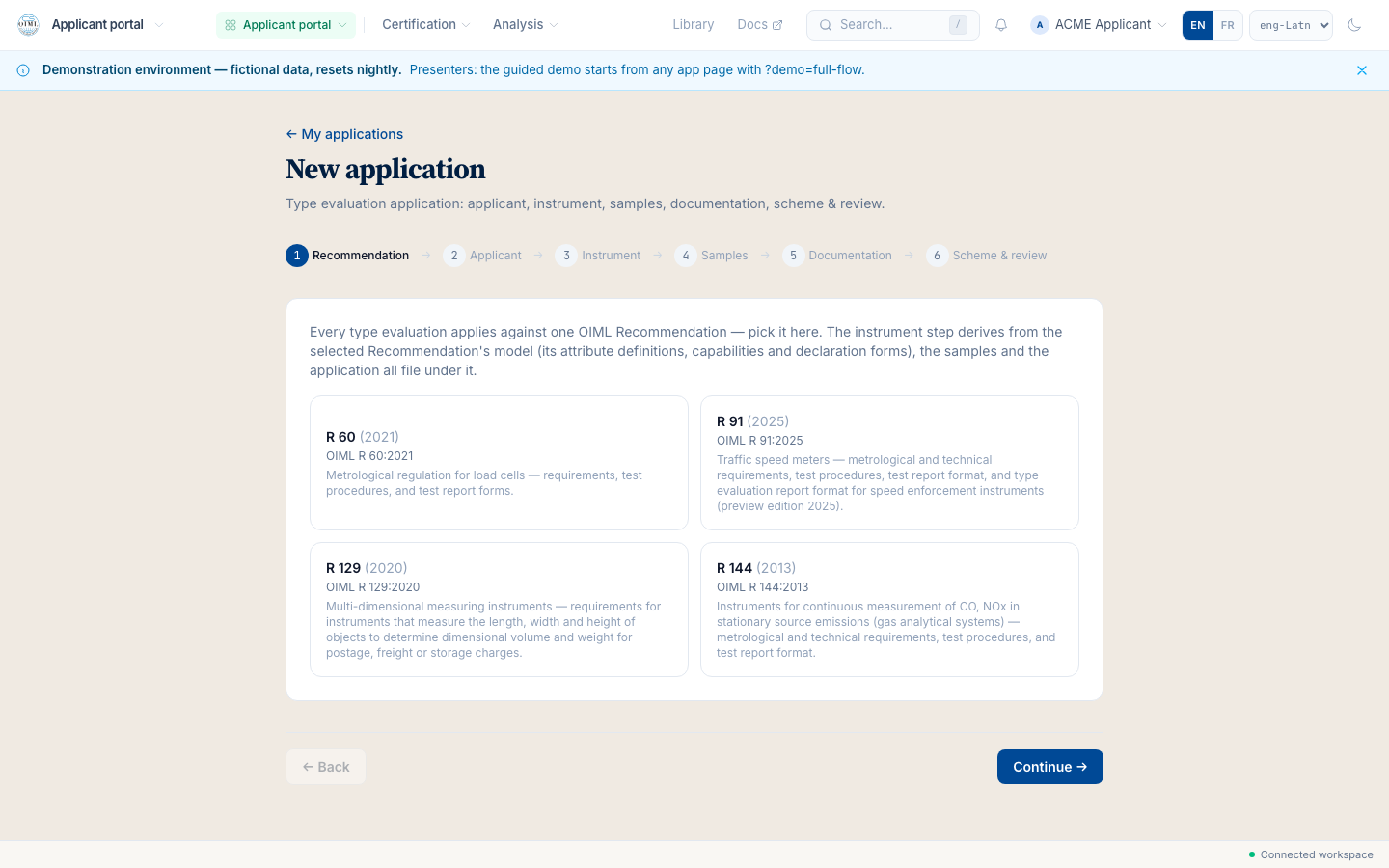
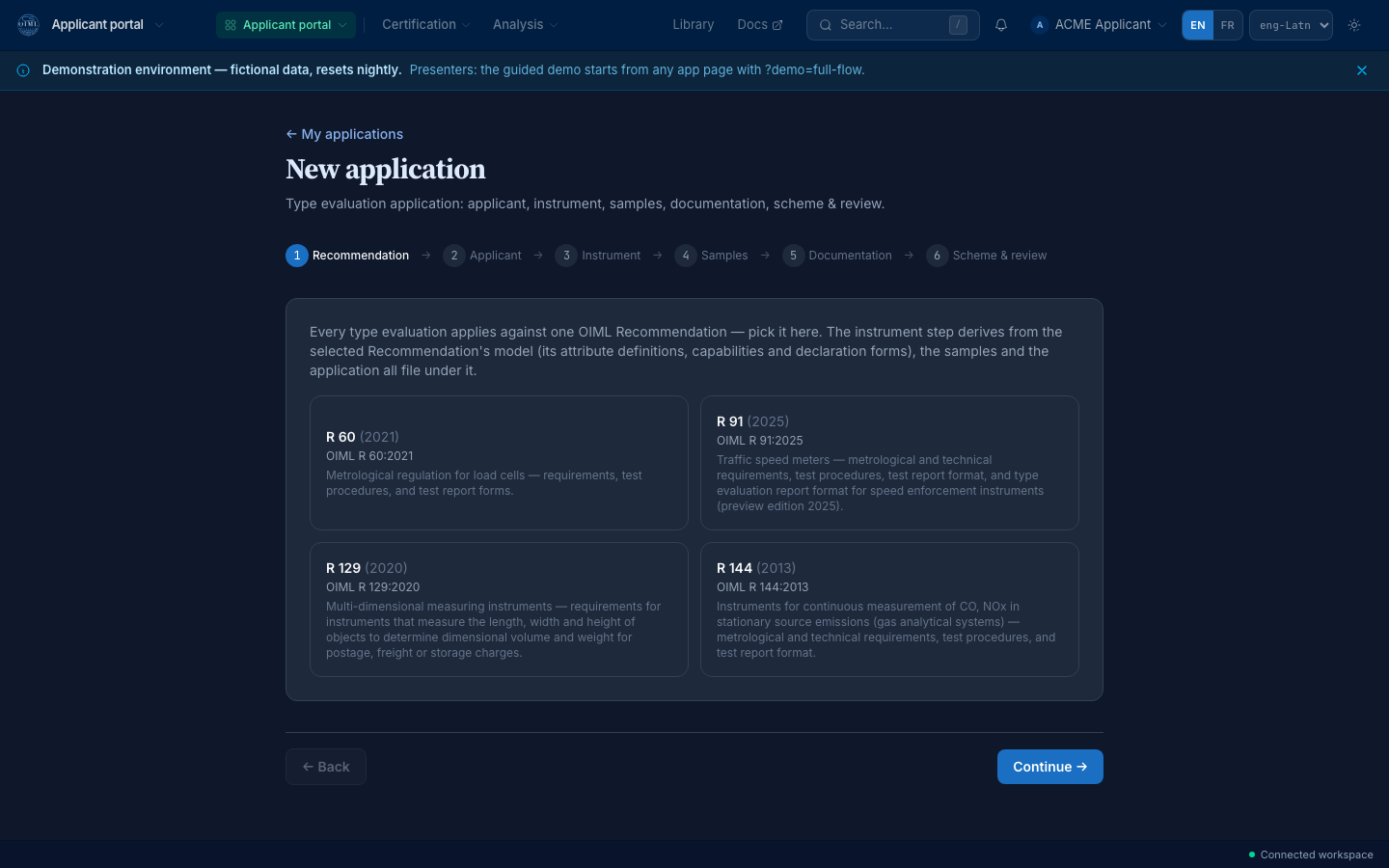
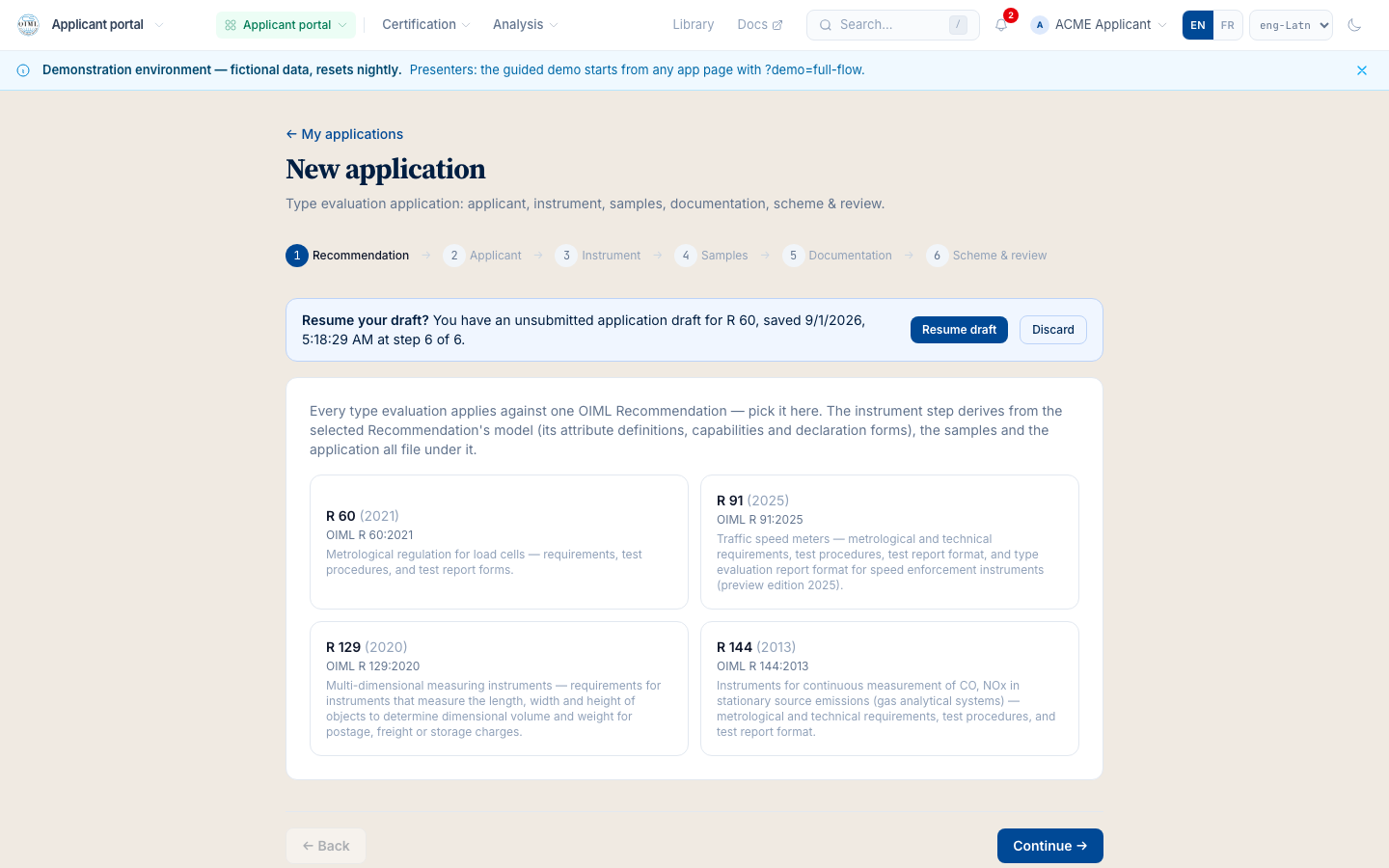
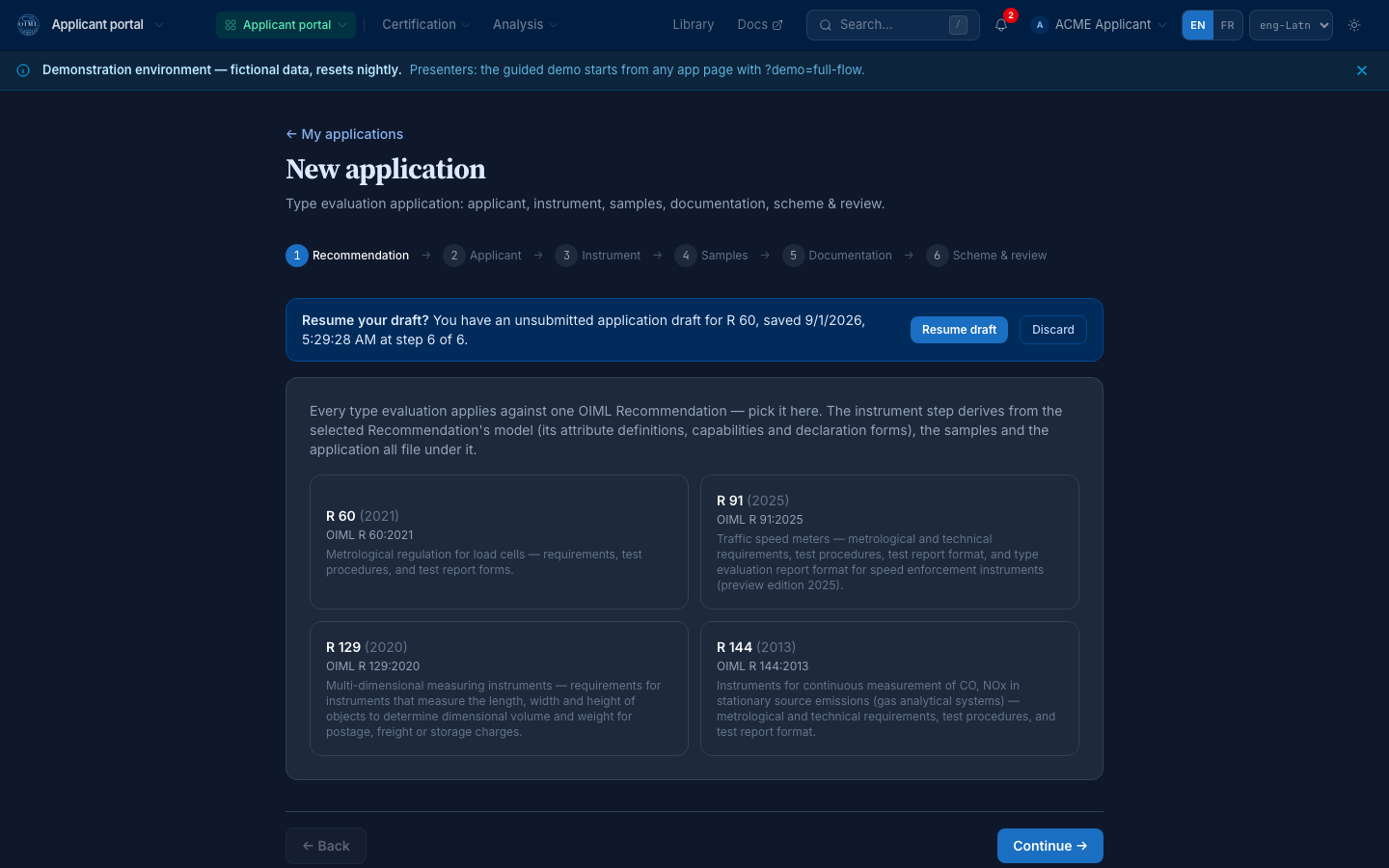
The wizard opens on the Recommendation pick, and it is a pick: each Recommendation the platform carries shows as a card with its publication id, its title, and the instrument category it covers. Nothing is pre-selected and nothing defaults silently, because everything downstream (the instrument form, the tests, the verdicts) derives from this choice. For the demo, pick OIML R 60, the load-cell Recommendation the LC-500 line is evaluated against.
Try it:sign in as Applicant, then work in/app/portal/applications/newon the demo instance.
Meet the model-derived instrument step
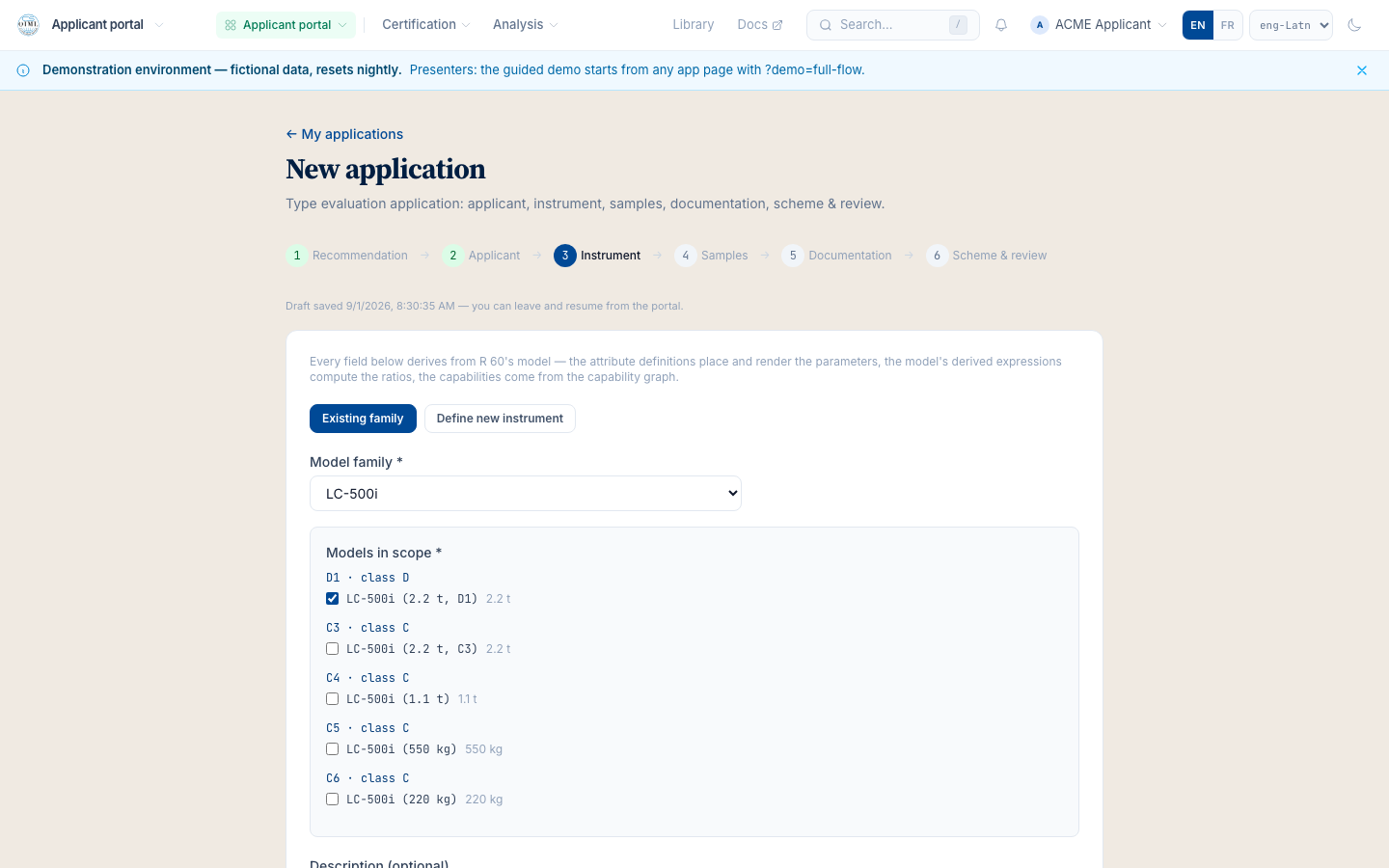
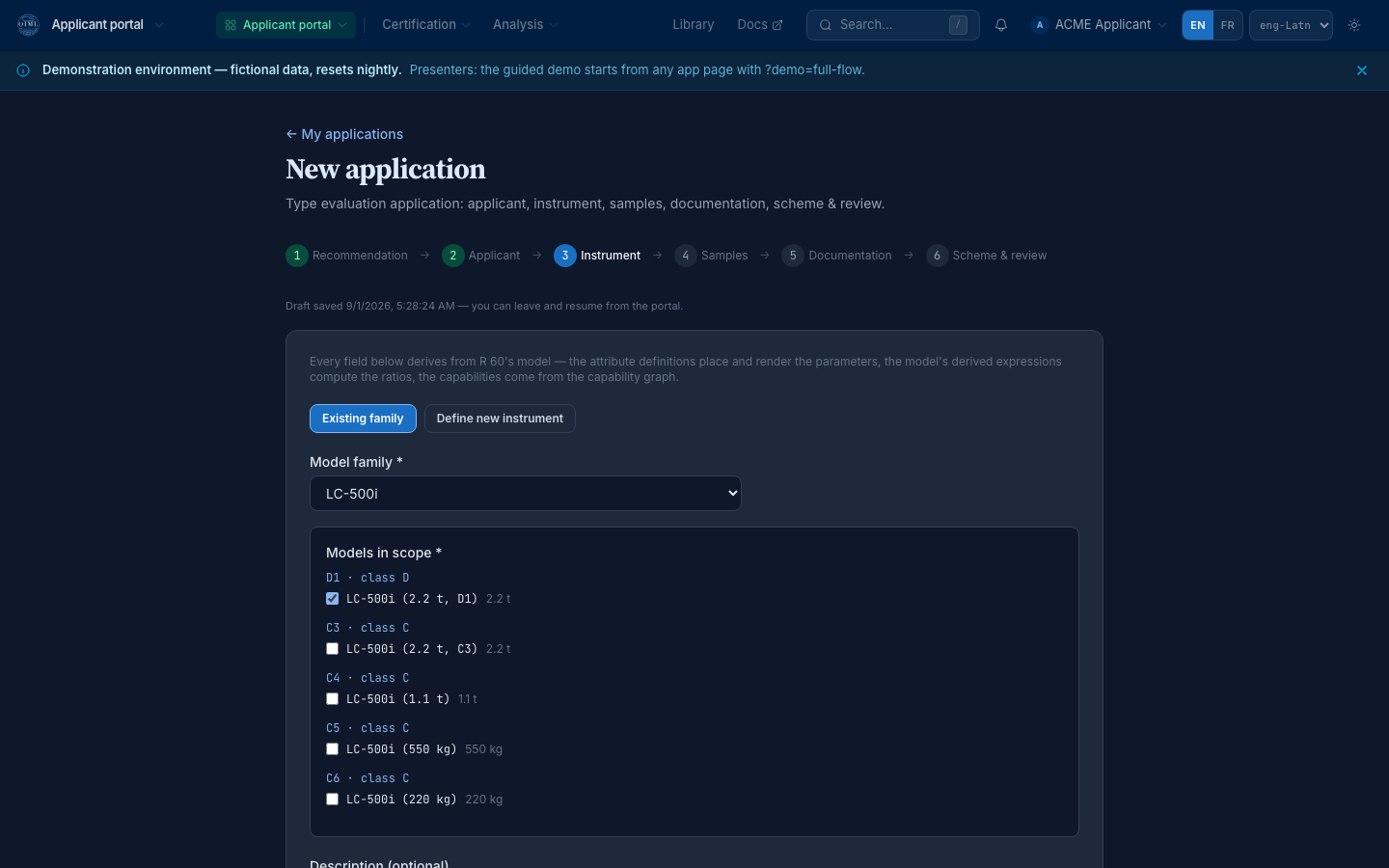
The instrument step is not a form a programmer designed; the Recommendation's model authors it. Pick the LC-500 family and place the LC-500i model in scope, and the step renders the applicant declaration that R 60-3 §4.5 asks for, with the classification dimensions the model declares. A registered product reference can prefill the whole chain (the third mode the step offers), and every field's guidance reads the model's own descriptions, never hand-written vocabulary.
Try it:sign in as Applicant, then work in/app/portal/applications/newon the demo instance.
Fill the steps in any order
Real applicants gather an application the way the paperwork arrives: the serial number today, the documentation next week. The stepper jumps to any reached step directly (each reached step is a button), and each step's validation is honest about what is missing without blocking the jump. The submit gate is where completeness is enforced, and it names what it is missing rather than refusing silently.
Try it:sign in as Applicant, then work in/app/portal/applications/newon the demo instance.
Leave and return: the draft waits
Close the browser tab mid-application if you like. The wizard saves the draft as you fill (per account and Recommendation), and the next visit opens with the resume banner offering the stored fill. The draft is a working posture, never an application: nothing is persisted to the record, and nothing reaches the authority, before the submit.
Try it:sign in as Applicant, then work in/app/portal/applications/newon the demo instance.
Samples, documentation, and the authority's card
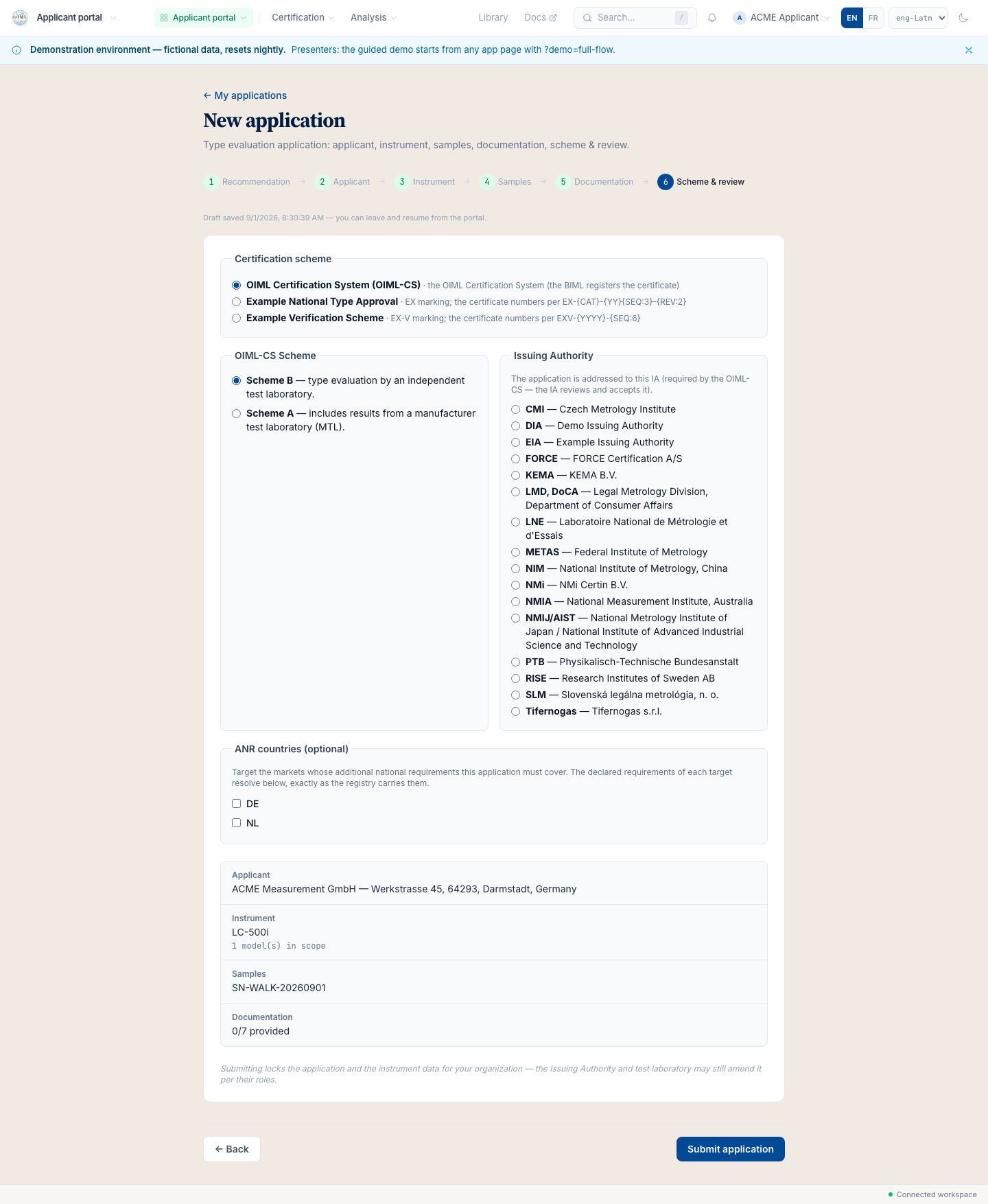
The samples step takes the serials; the documentation step walks the checklist R 60-2 §2.5 declares. Then the scheme step: the OIML-CS scheme, and the issuing authority picked from cards. Each card carries the authority's logo (or the honest monogram fallback), its name, and its scope summary, and the picker never shows an authority that cannot take the Recommendation you picked in S1. The demo applies to the Brobdingnag Legal Metrology Authority (EX1).
Try it:sign in as Applicant, then work in/app/portal/applications/newon the demo instance.
Review the whole file and submit
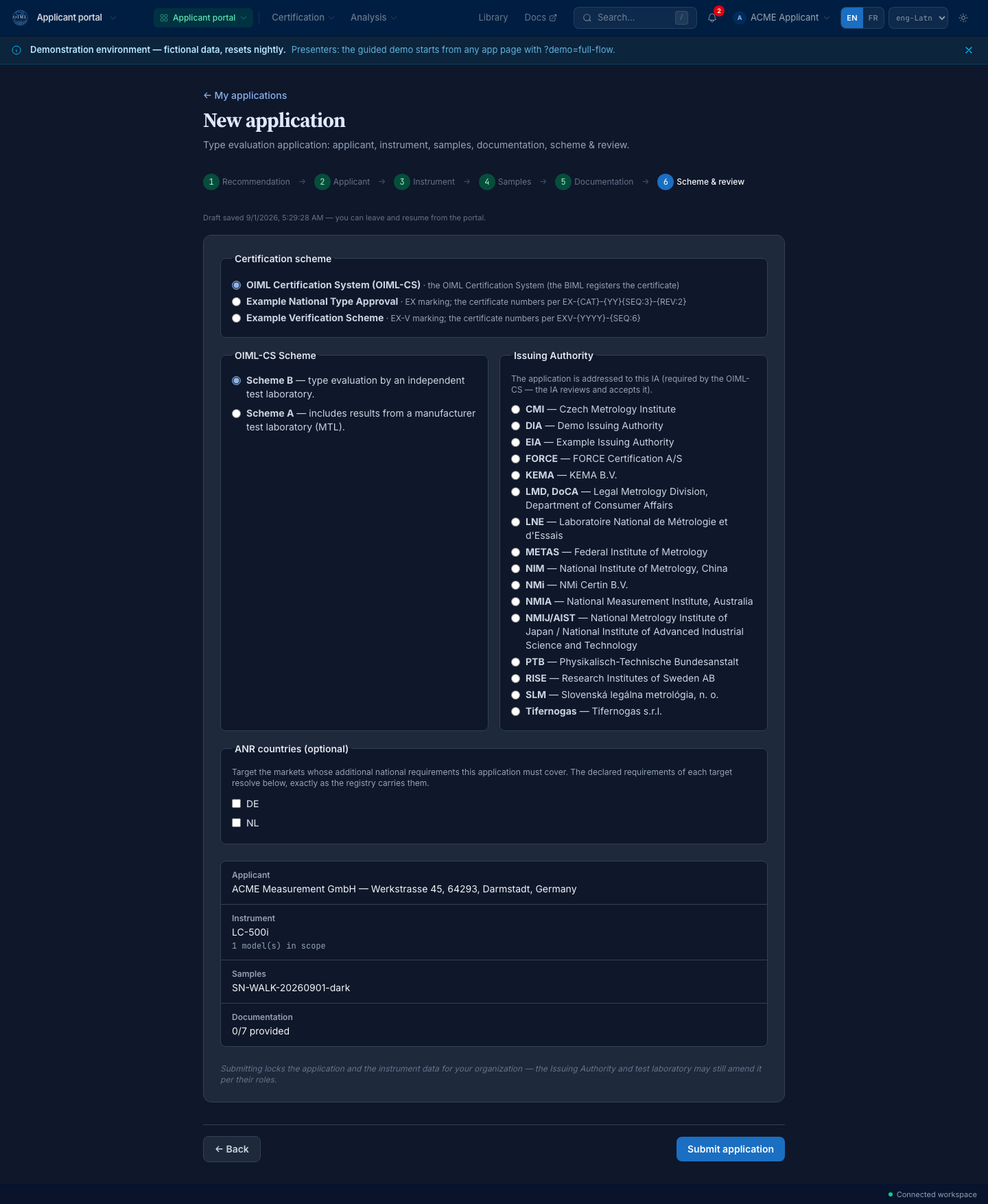
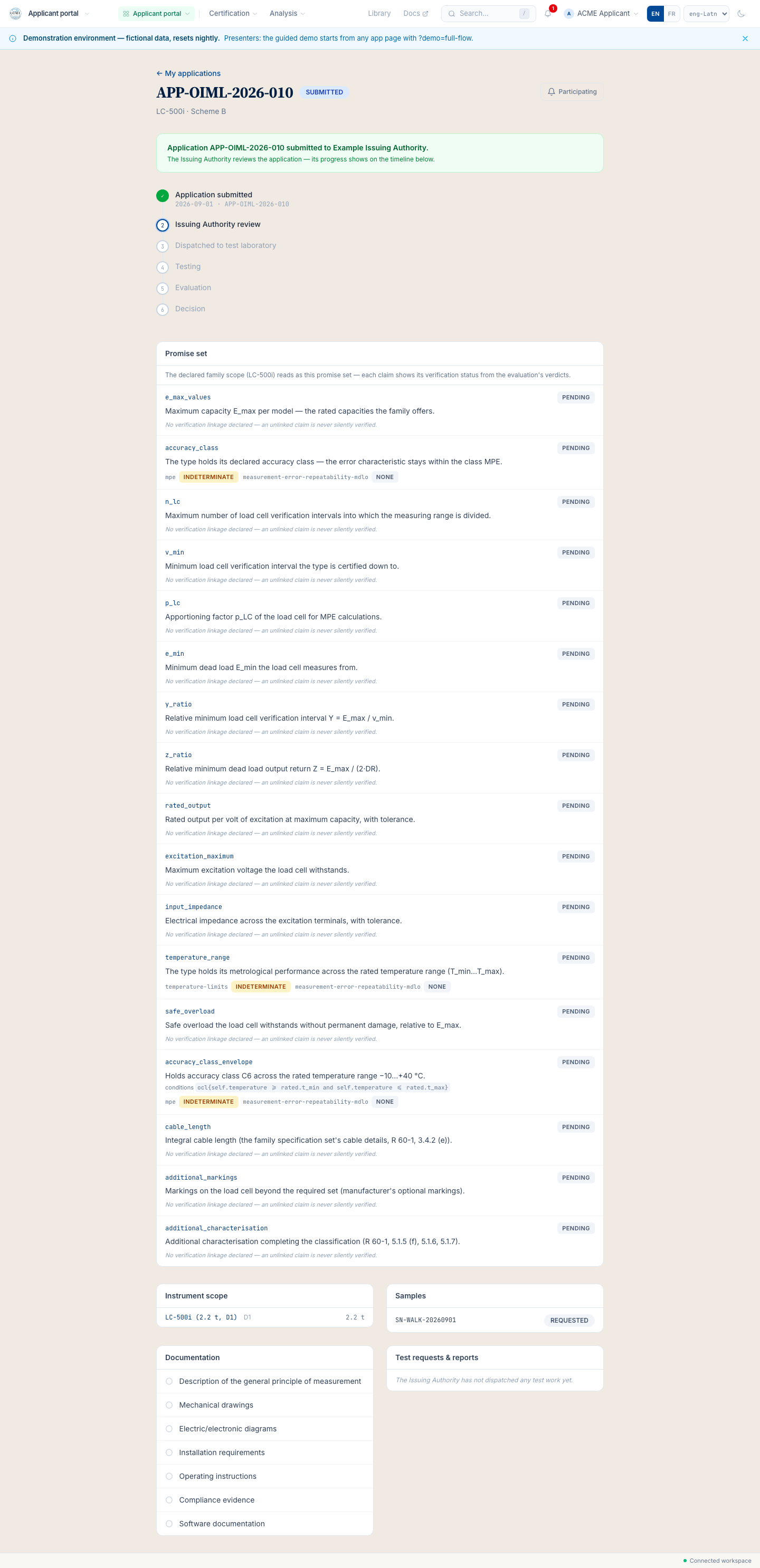
The review step shows the whole application before anything leaves your hands: the Recommendation, your organization, the instrument chain, the samples, the documentation, the scheme, the authority. Submit, and the application's own page opens at the first stage of its journey. At the same moment it appears in the authority's review queue, oldest first, which is the first scene of flow 02. The applicant is notified at every stage from here on; flow 05 is that story.
Try it:sign in as Applicant, then work in/app/portal/applications/…on the demo instance.
The application (demo flow 01): the presenter scripts
OIML SMART demo walkthrough, printed from www.oimlsmart.org/demo/application. Everything the scripts present is simulated: the demo instance resets nightly and the cast is fictional.
The presenter scripts
Two lengths, keyed to the steps above (S1 to S6). Print this page for a clean copy of the scripts.
The 5-minute presenter script · the committee slot
- 0:00What you are about to see is a manufacturer applying for OIML type evaluation. Today that is a scanned form, an email, and a spreadsheet. Everything here is simulated: the demo cast is fictional and the instance resets nightly.
- 0:30S1The first pick is the Recommendation itself, as a card, with its edition. R 60 for load cells. Nothing defaults silently, because everything downstream derives from this pick.
- 1:30S2This instrument form was not designed by a programmer. The R 60 model authors it: the declaration the Recommendation asks for, clause and all. Change the Recommendation and the form changes.
- 2:30S3-S4The steps fill in any order and the draft survives leaving. Real life interrupts applications; the wizard is built for that.
- 3:30S5The authority is picked from cards: the logo, the scope, and only the authorities that can actually take R 60.
- 4:15S6Review the whole file, submit. The application is now in the authority's queue, and nothing was printed or emailed.
- 4:45Try it yourself tonight: demo.oimlsmart.org, the Applicant persona, assumed from the account chooser the identity service offers.
The 20-minute presenter script · the working visit
- 0:00Frame the visit: the application is the scheme's front door. The promise: by the end of this flow the room believes the form is the Recommendation, not a transcription of it. Simulated cast, nightly reset, say it once up front.
- 1:00S1Open the wizard. Dwell on the Recommendation cards: the publication id, the title, the instrument category. Ask the room who still receives applications naming the wrong edition; this pick pins the edition for everything that follows.
- 3:00S1Show that changing the Recommendation re-derives the instrument step. The wizard is model-driven, not hard-coded per Recommendation: R 60, R 91, R 129, R 144 all ride the same machinery.
- 5:00S2The instrument step in depth: the family pick, the model in scope, the classification dimensions. The declaration form is the one R 60-3 §4.5 declares; the guidance on every field reads the model's descriptions, so the vocabulary can never drift from the Recommendation.
- 7:30S2The product-reference prefill: a registered product reference fills the whole chain. For a manufacturer with a catalogue, the application becomes a review, not a data-entry task.
- 9:30S3Jump the stepper between reached steps. The per-step validation is honest about what is missing without blocking navigation; the submit gate enforces completeness and names what it wants.
- 11:30S4Perform the draft: fill, close, return, take the resume banner's offer. The draft is client-side working state; the record starts at submit, which is exactly the honesty the audit chain needs.
- 13:30S5The samples and the documentation checklist (R 60-2 §2.5): the checklist is the model's, so two authorities cannot invent different documentation demands for the same Recommendation.
- 15:30S5The authority cards: the logo or the honest monogram, the scope summary, and the per-Recommendation filter. The picker cannot route an R 60 application to an authority that does not cover R 60.
- 17:30S6Review and submit. Open the application's page: the journey begins. Tease the next flow: at this moment the row is already in the authority's review queue, which is where we go next.
- 19:00Questions. The two that always come: editions (pinned at S1, carried by the model) and paper (records mode exists for the transition; the audience pages cover it). Close on the try-it path: the Applicant account, /app/portal.
Today (SMART) and the vision (SMART+)
Today · SMART
- The model-driven application wizard over R 60, R 91, R 129, R 144: the instrument form derives from the Recommendation. open the wizard ↗
- The authority picked from scoped cards; the draft that survives leaving; the submit that lands in the IA queue. the portal ↗
- The application page as the journey's spine: state, samples, promise set. flow 05 ↗
The vision · SMART+
- The product-reference prefill at catalogue scale: the manufacturer's registered products fill applications in one pick (roadmap, the product-supply-chain program). roadmap ↗
- The twin-backed application: the instrument's SMART twin attesting its own characteristics into the declaration (roadmap). roadmap ↗
The honest questions
Is the form really the Recommendation?
Yes, structurally: the wizard's instrument step renders the declaration form the R 60 package authors in its model, the guidance reads the model's descriptions, and the same machinery serves every modelled Recommendation. There is no per-Recommendation hand-coded form to drift from the text.
What stops a sloppy submission?
The submit gate: it enforces the model's completeness and names what is missing. What it does not do is judge quality; that is the authority's review in flow 02, where the honest reject-with-reason lives. The wizard's discipline is completeness, never silent acceptance.
We still receive paper applications. Does this replace them?
Gradually, and honestly: an authority can enter an application on a client's behalf (records mode), and what came from paper is marked as coming from paper. The applicant-filed wizard is the target posture; the transition is designed, not forced.
Is any of this data real?
No. The manufacturer, the instruments, the authority, and the application itself are the demo's fictional cast, and the instance re-seeds nightly. What is real is the software: the same codebase runs the production hub, and the walkthrough's captures are taken against the live demo this wave.
Where to go next
The other side of the submit: the review queue, the accept that opens the evaluation project, the dispatch to the laboratory.
The Applicant persona, assumed through the identity service, then /app/portal/applications/new. The instance resets nightly, so experiment freely.
info@oimlsmart.org for a guided session with your committee or your authority.
Verified 2026-09-01: every step above was performed headlessly against the live demo by scripts/capture-walkthroughs.ts (the wizard walked in both themes, one real application submitted in the drive) and each capture carries its assertion record in public/img/walkthroughs/manifest.json. The step names and machine states match the engineering record (DEMO_FLOWS/01) in the smart repository.